Set up your round
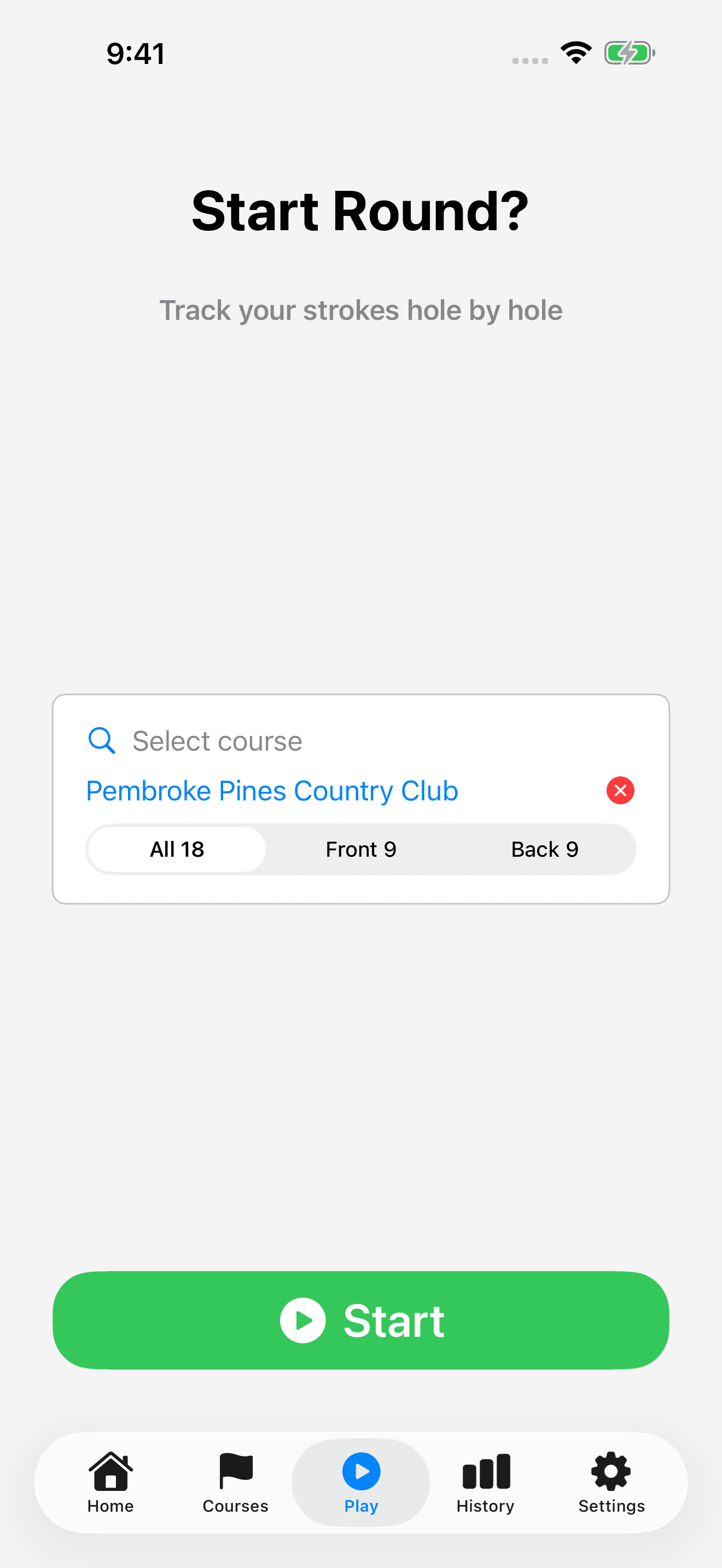
Choose the course and round length before you start so the hole pars match the holes you are playing.
- Open Play, or choose Track New Round from the add-round menu on Home.
- Tap Select course and choose your course.
- For an 18-hole course, choose All 18, Front 9, or Back 9. For a 9-hole course, choose 9 Holes or 18 Holes.
- Tap Start when you are ready to begin.
Record strokes and move between holes
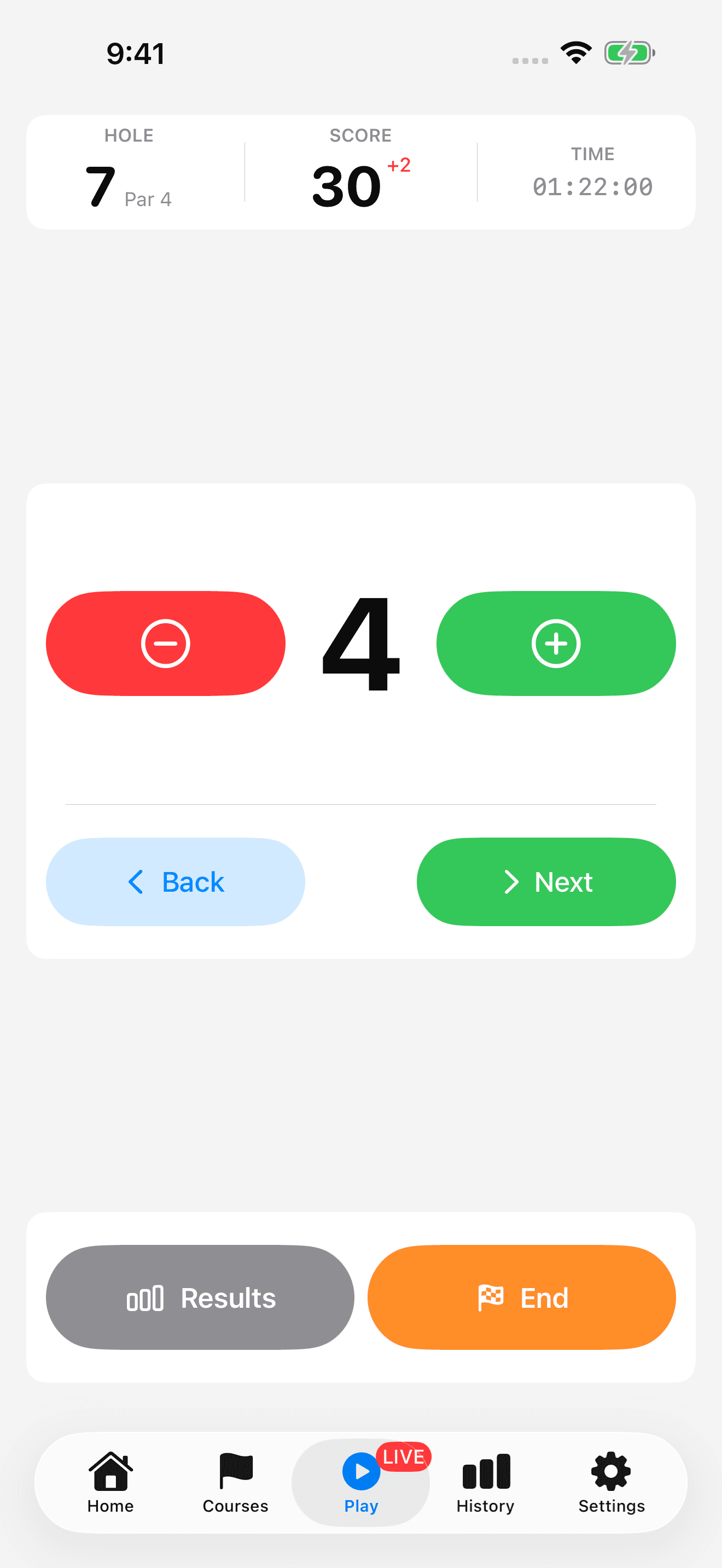
The live scoring screen shows your current hole, strokes, total score, and elapsed time. When a course is selected, it also gives you par context.
- Use the plus control to add a stroke for the current hole. Use minus to correct an extra tap.
- Count every stroke, including putts, in the hole's stroke total.
- Tap Next when you finish the hole. Use Back if you need to revisit the previous hole.
- Tap Results to review the round so far.
Finish and review your round
End the round when you have finished playing. You can review the saved scorecard from Home and correct mistakes afterward.
- Tap End and confirm End Round.
- If putt tracking is enabled, answer the final hole's putt prompt or choose Skip.
- Review the Round Complete summary, then open the saved round from Home for its Details and scorecard.