Add a round you already played
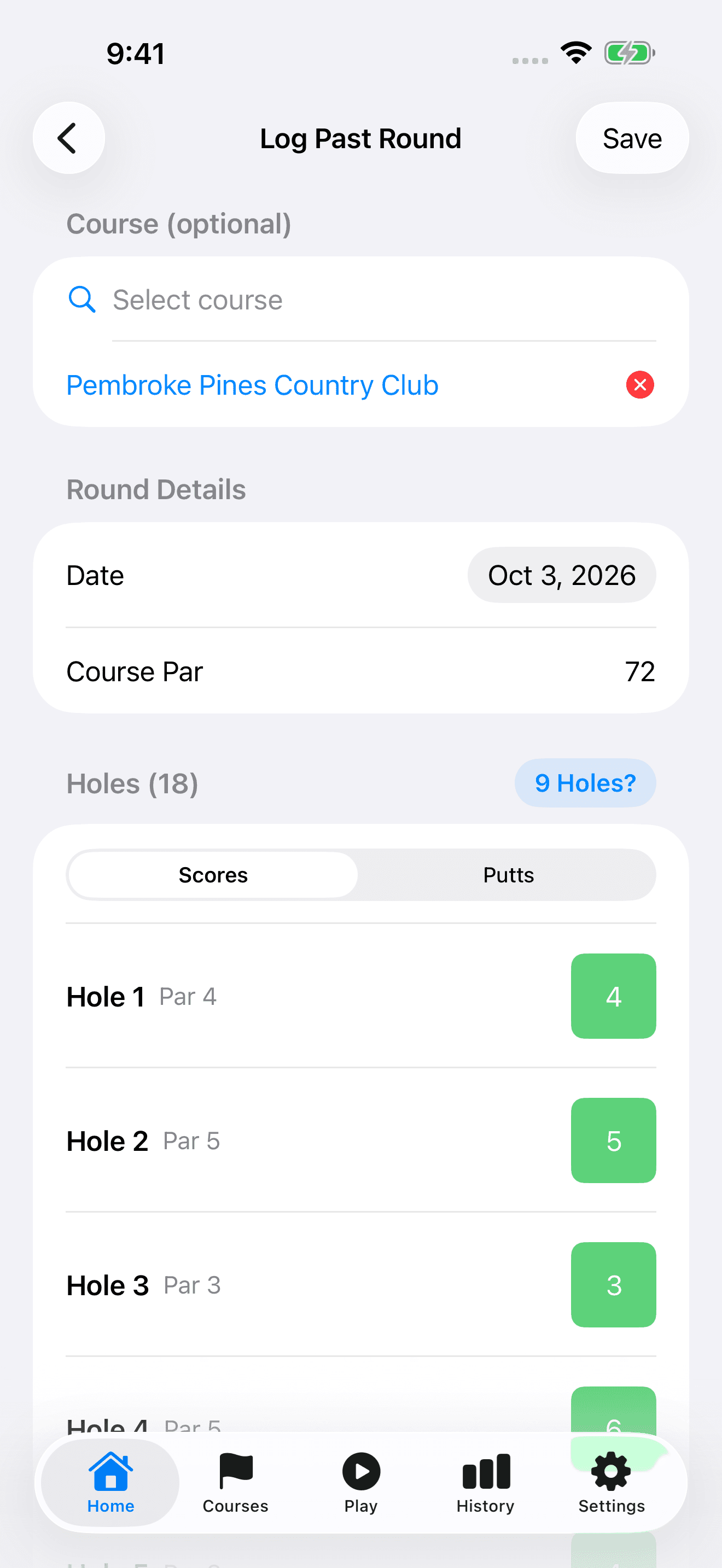
Log Past Round is for entering a completed scorecard, rather than timing a live round. Keep your paper or other scorecard nearby so you can enter each hole accurately.
- On Home, open the add-round (+) menu and choose Log Past Round.
- Select your course if available, and set the Date to when you played. Without a selected course, enter Course Par yourself.
- Choose 9 or 18 holes before entering scores. For nine holes on an 18-hole course, choose Front 9 or Back 9.
- In Scores, tap each hole's score box and choose the stroke count. Use Other for a score outside the quick choices.
- Optionally switch to Putts and enter the putt count for each hole.
- Check your entries and tap Save.
Correct a saved scorecard
You can update hole scores, putting entries, and the course on a saved round. Opening Edit does not require starting a new round.
- On Home, tap the round you want to correct.
- In Details, open the more (...) menu and choose Edit.
- Select the correct course or update the hole entries in Scores and Putts.
- Tap Save, then review the scorecard to confirm the changes.