Read a saved round's scorecard
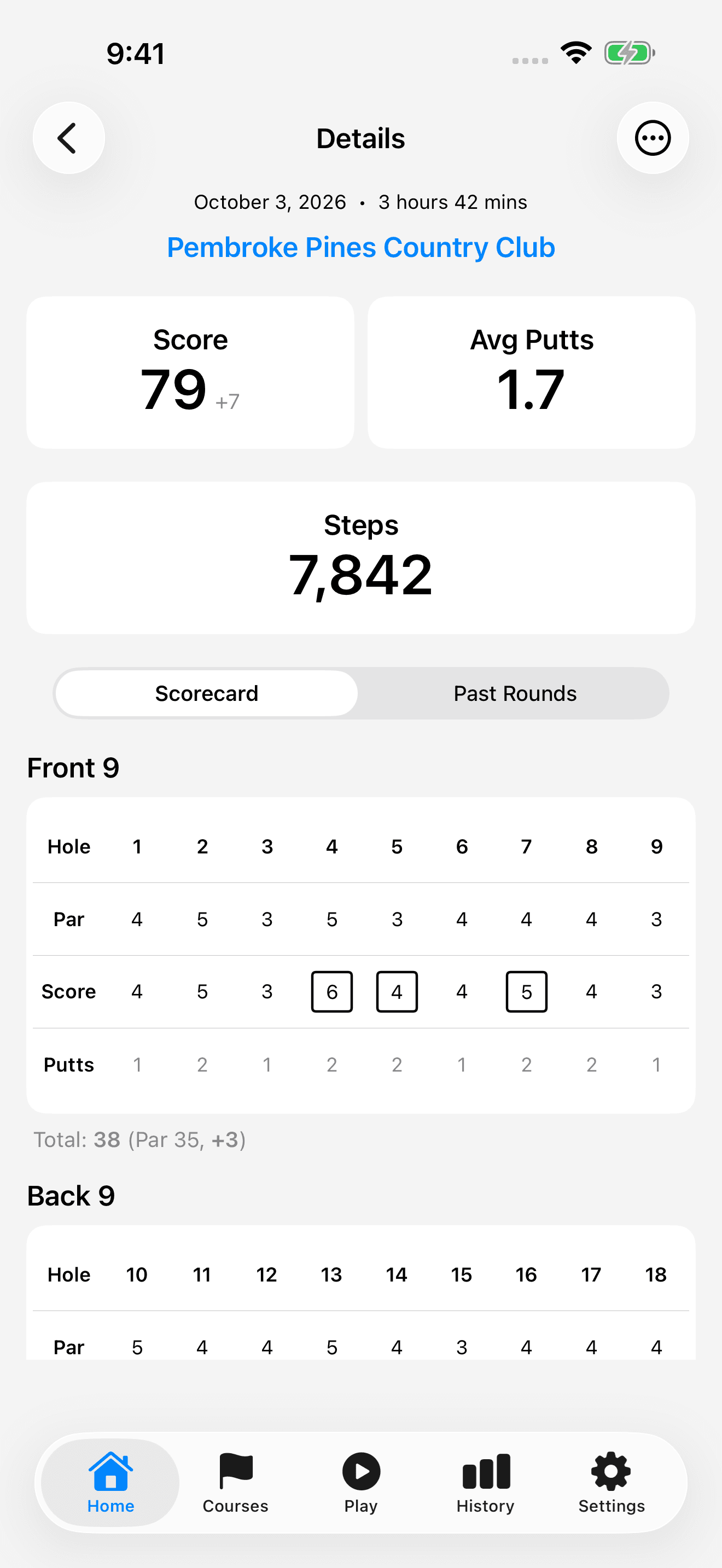
Tap a round on Home to open Details. Review the total score and hole-by-hole scorecard. Putts, steps, and playing time are shown when that data was recorded.
An E means even par; a plus value is over par and a minus value is under par. If there are other rounds at the selected course, use Past Rounds to revisit them.
Explore trends in History
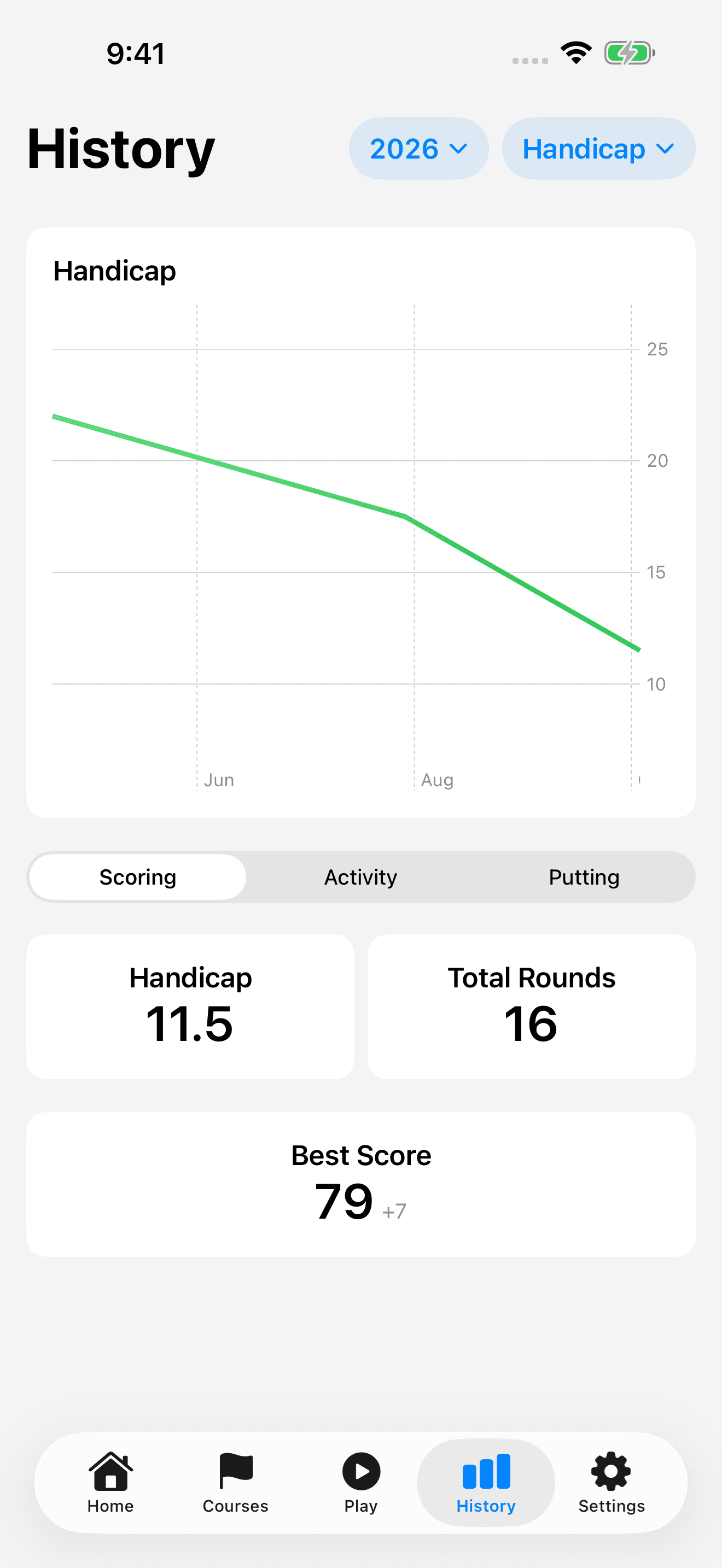
History groups your recorded rounds into charts and summary stats. Use the filters to compare like-for-like rounds instead of mixing nine-hole and eighteen-hole scores.
- Open History and choose the year you want to review, or All.
- Select Handicap, 18 Holes, or 9 Holes for the chart. Steps is available when the filtered rounds contain step data.
- Use Scoring, Activity, or Putting to explore the summary stats for your selection.
- If older rounds seem to be missing, change the year filter. Settings > Default Year controls whether the initial view uses Current Year or All.
Understand the handicap estimate
TrueRound's in-app handicap is an estimate to help you follow your progress, not an official USGA or WHS Handicap Index.
The app uses course rating and slope when available, and falls back to a par-based estimate when they are not. It averages up to the ten lowest available round differentials in the selected period. Nine-hole rounds are scaled in the estimate; rounds with fewer than nine recorded holes are excluded.