Find your way around the app
TrueRound is a golf score tracker for iPhone and Apple Watch. Record strokes hole by hole, keep a record of past rounds, and follow your game over time.
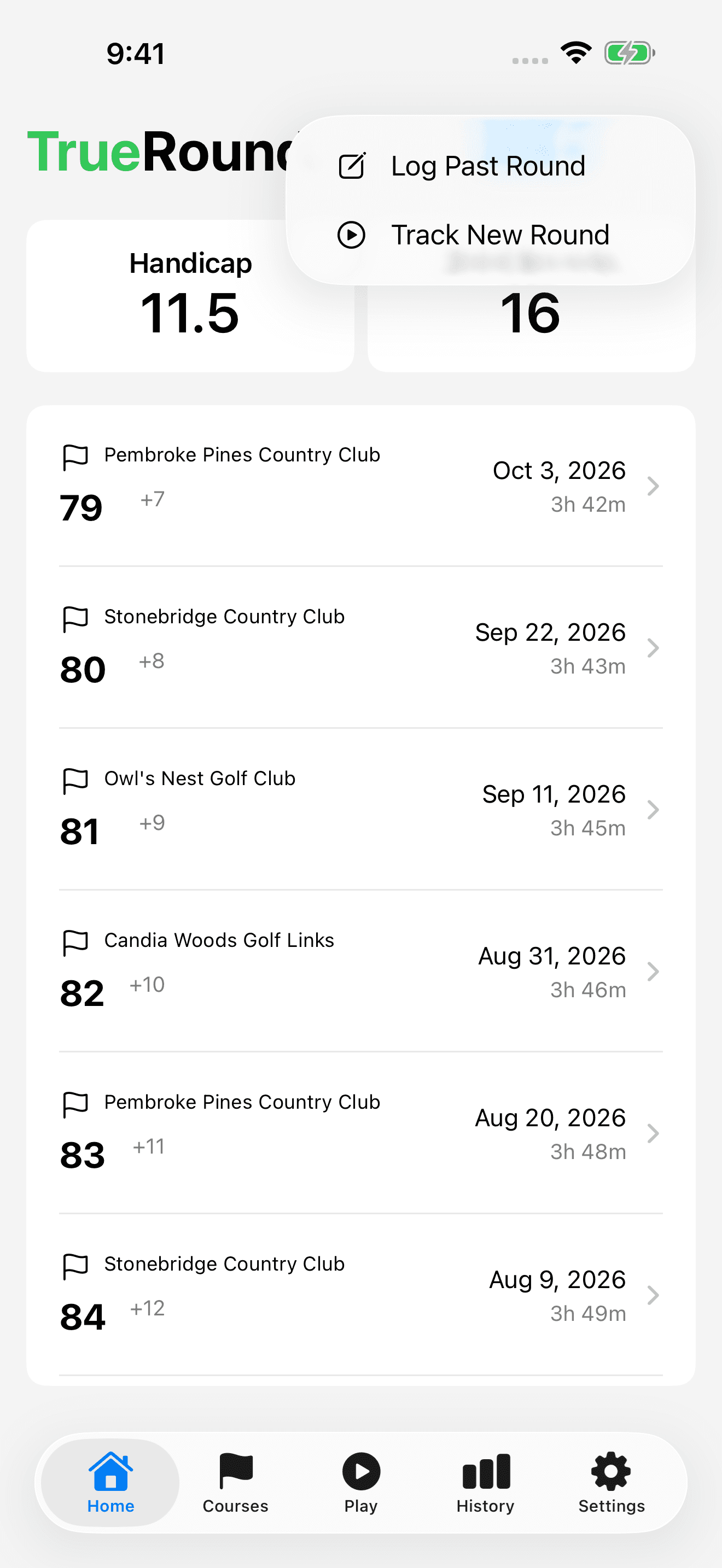
On iPhone, Home shows your rounds and summary stats. Courses helps you revisit the courses you have played. Play is where you track a live round, History shows trends, and Settings holds your preferences.
- Install TrueRound from the App Store and open it on your iPhone.
- On Home, open the add-round (+) menu.
- Choose Track New Round to score as you play, or Log Past Round to enter a round you have already finished.
Find and select your course
Selecting a course brings its hole pars into your scorecard and links the round to that course. Check the course name and location before selecting it, especially when several courses have similar names.
- Tap Select course in the round setup or past-round form.
- Search by course name, choose a previously played course under Recent, or use Nearby.
- Allow location access if you want nearby results. You can still search by name without location access.
- Select the course, then check which holes you will play before entering scores.

Choose how you want to keep score
Use iPhone scoring if you prefer a larger screen. Use the Apple Watch app to keep score from your wrist. If you already played, Log Past Round lets you enter the date, strokes, and optional putts afterward.
You do not need to use an Apple Watch to record rounds on iPhone. Start with the method that is easiest for you, then use the guides below for the exact steps.